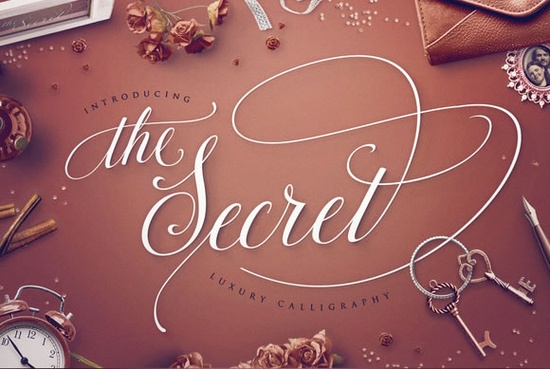
Looking for a calligraphy font that works across wedding invitations, branding projects, and everyday design work? The Secret Font is a hand-crafted script typeface loaded with 689 glyphs and over 50 end-swashes. It's often compared to popular alternatives like the Samantha font and Magnolia Sky font, though many designers find it stands on its own thanks to its careful balance of elegance and readability.
Whether you sell print-on-demand products, design for clients, or just love making things for fun, this font gives you a lot to work with. Let's break down what makes it worth your attention.
What Makes The Secret Font Different From Other Script Fonts?
Most script fonts fall into one of two camps: beautiful but hard to read, or readable but a bit boring. The Secret tries to solve that problem. Every glyph was drawn, tested, redrawn, and digitally optimized to find a sweet spot between elegance and usability.
Here's what's included:
- 689 glyphs giving you tons of character variety
- 50+ hand-crafted end-swashes for decorative flourishes
- Contextual alternates that automatically swap characters based on surrounding letters
- Discretionary ligatures for smooth letter connections
- Stylistic alternates to change the look of specific letters
- Swashes and swooshes for extra flair
- PUA encoding so you can access all characters in any software
The contextual alternates feature is particularly useful if you work in Adobe Photoshop or Illustrator. The font automatically picks the best characters for each situation no need to dig through the glyphs panel manually.
What Can You Use The Secret Font For?
Short answer: almost anything. This is a versatile script font that works well for both personal and commercial projects. Here are some common uses:
- Wedding invitations and save-the-dates
- Business cards and branding materials
- Social media graphics and quotes
- Greeting cards and stationery
- Logo design
- T-shirt and mug designs for print-on-demand shops
- Blog headers and website accents
- Product packaging
Because you have so many glyphs to choose from, you can use this font repeatedly and still create something that looks fresh each time. Mix different alternates and swashes to get a playful, elegant, or quirky feel depending on the project.
Does It Work With Cricut and Silhouette Machines?
Yes. The Secret Font is compatible with all major design software, including:
- Cricut Design Space
- Silhouette Studio
- Adobe Photoshop
- Adobe Illustrator
- Canva and other web-based editors
The PUA encoding means you can access every glyph, swash, and alternate regardless of which program you're using. This is especially helpful for Cricut and Silhouette users who sometimes struggle with accessing special characters in script fonts.
How Does It Compare to Other Popular Script Fonts?
The Secret is frequently mentioned alongside the Samantha font and the Magnolia Sky font. All three are elegant calligraphy fonts with strong followings, but The Secret stands out for its sheer number of built-in features and the coherence between letters.
If you're looking for something with a similar feel but want to try a fresh option, it's also worth checking out fonts like Gardenia or Wedding Beauty both are beautiful script fonts suited for elegant design work. For a slightly different style, the Wildberry font offers a bolder, more expressive script option.
Designers who prefer a more casual handwritten look might also enjoy the Stylish Handwriting font as an alternative for everyday projects.
Is The Secret Font a Good Choice for Professional Work?
Absolutely. This font was designed with both personal and professional use in mind. The careful spacing, balanced weight, and smooth connections between letters make it look polished even at smaller sizes something many calligraphy fonts struggle with.
It works well on business cards, client presentations, and print materials where readability matters. The automatic contextual alternates in Adobe software also save time when you're working on tight deadlines.
What Should You Check Before Buying?
Before you download, keep these things in mind:
- Check the license. Make sure the font license covers your intended use personal, commercial, or print-on-demand.
- Test alternates in your software. Open the glyphs panel to see what's available and how the contextual alternates behave.
- Pair it wisely. Use a simple sans-serif font alongside The Secret to keep your designs balanced and readable.
- Preview at different sizes. Test the font at both large display sizes and smaller body text sizes to see how it performs.
- Try different swashes. With 50+ end-swashes, experiment with several options before settling on a final look.
Next step: Visit the The Secret Font product page to preview all the glyphs, test out the swashes, and see if it's the right fit for your next project. If you run a creative business, adding one or two reliable script fonts to your toolkit can save you hours of searching down the road.
Get Started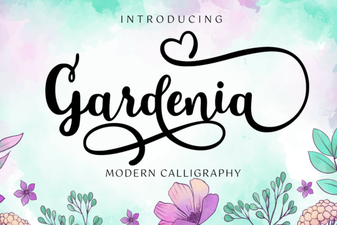 Gardenia Font: Elegant Script for Creative Design Projects
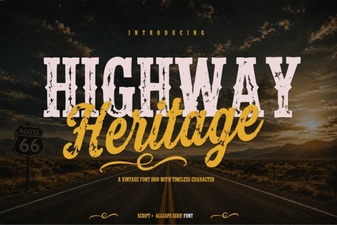 Highway Heritage Font - Vintage Script Typeface for Classic Designs
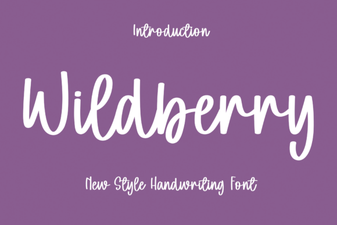 Wildberry Font: Creative Typography for Modern Design Projects
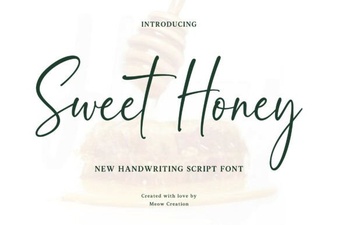 Sweet Honey Font: Crafting Elegant Designs with a Playful Touch
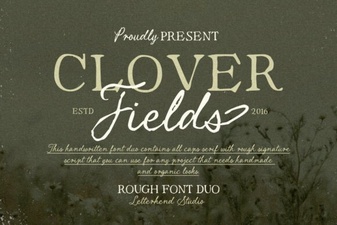 Clover Fields Font - Free Script Font Download
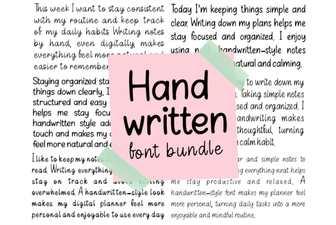 Beautiful Handwritten Font Bundle for Creative Design Projects